Merchandise

Get the all-new Poptropica iPad app for free!

Not long after the Creators announced that Poptropica would be coming to iPad, guess what? Poptropica came to iPad! The app is now available on the iTunes Store, and to top off the good news, it’s FREE! So what are you waiting for? (To get your hands on an iPad? Yeah, me too. 😛 )

That fancy promo animation was created by Tyson Burnham, who, as it turns out, works as a motion graphic designer for Poptropica! He has animated for Poptropica in the past, creating island trailers and other cool stuff, and you can check out a recent highlight reel of his work in another YouTube video. 🙂

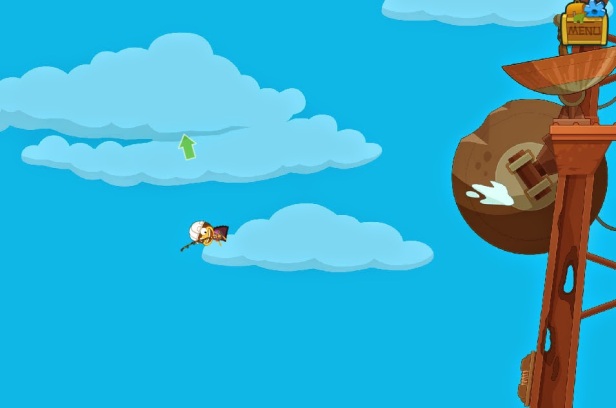
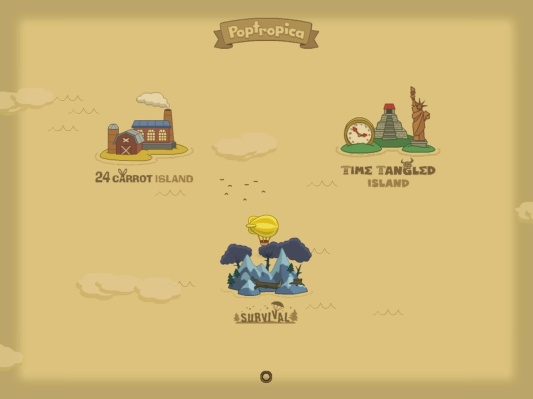
As for the iPad app, it’s got 24 Carrot and Time Tangled so far, with more islands on the way – and yes, it’s just like the online version we know and love. It features the same art, the new soundtracks, up to 3 customizable characters, and more – details are on the app’s official info page. But as you may have noticed in the trailer video (around the 0:26 mark) or in the App Store’s screenshots, the iPad version comes with a new “Tutorial Island” (or “welcome scene”):

Yes, that’s the “Tutorial Island” HPuterpop uncovered in his sneak peek in the latest issue of our PHB magazine, which was just published last week! This little quest covers the basics of the app’s gameplay, and you’ll collect Medallion Shards along the way, right until you’ve got your whole Tutorial Island Medallion all pieced together.

And if you’ve been paying attention to some semi-recent PHB posts, this probably dispels the rumors of a Sky Island or Asgard Island, seeing as the very “island/castle in the sky” imagery we’ve been seeing in the Daily Pop has been implemented here. Thanks for crushing our dreams, Creators. (Just kidding, we still love you guys. But not everyone has an iPad.)

pop on ipad

Anyway, iPad owners, how’s the game been for you? Do share your thoughts in the comments so we can hear about how awesome it is! 😀 Or, tell us what other devices you’d want to play Poptropica on.

LEGO Poptropica

Dr. Hare LEGO project turned down

Remember the big campaign last year for the Dr. Hare’s Lair project on LEGO CUUSOO to reach 10,000 supporters so that it could be considered for production? We haven’t heard from the Creators on this since the goal was reached last August, but this is what shows on the site now:

archived lego

Yup… it looks like we’re not going to have a Poptropica LEGO set anytime soon. 😦 Apparently, the LEGO CUUSOO team had already reached this decision about a month ago (on Jan 30, 2014). The Creators never mentioned this, so had I not checked, I wonder when we would’ve found out. 😛

Here’s an excerpt of what they said about the decision:

LEGO Review Results for Poptropica: Dr. Hare’s Lair

2014.01.30

First and foremost, congratulations to PopCreators for reaching 10,000 supporters on LEGO CUUSOO, and toward everyone for all of the support of the Poptropica: Dr. Hare’s Lair project! The results of the LEGO Review are in and you can see full details on the LEGO CUUSOO Blog.

Review Results for Poptropica: Dr. Hare’s Lair

Our team has thoroughly considered the possibility of releasing this project as a LEGO set according to the criteria of the LEGO Review. Unfortunately the LEGO Review Board has decided that we will not produce this project as a set.

Thank you to PopCreators for the passion and creativity that went into this project, and to all of you who voted so that we would have the opportunity to consider this as a potential LEGO set. We’re sorry to deliver this disappointing news.

To read more, visit the archived Dr. Hare LEGO project page and scroll down. Personally, I quite like LEGO products, and to combine it with Poptropica would have been really cool, so I’m sad to hear that the final decision was a no. 😦 Still, at least we got some cool Dr. Hare stuff out of the campaign. 😛

Web Development

A Look at the New SUI Costumizer

As you may have heard, the Costumizer feature is finally fully functional on all the new sound-updated islands (SUIs). Let’s take a closer look, shall we? First, to access it, you’ll need to open the Menu, which should be in the top right corner. Look for the green shirt button:

shirt button

Once you click on that, you can select the character you’d like to customize from!

select character

This will then bring up the new Costumizer window, with a more fanciful background than the plain blue of the old one. You can hover over items the other character is wearing to select what you’d like to put on. So far, so good – it’s a lot like the old Costumizer!

But here’s a new handy feature: click on the green shirt with a magnifying glass on the left side to bring up a panel where you can choose from all the items that are customizable!

clothing

If you click on the button above that – the Poptropican with a cursor on it – you can select another character in the area to customize from. (Or, if you’re the only character visible on the screen, the Costumizer will bring up only you and you can un-customize from the right.) And if you need some inspiration for your new wardrobe, check out our Costumes page! Happy Costumizing! 😀

Astro-Knights Island, Lunar Colony Island, Night Watch Island, Vampire's Curse Island

Going left of Main Street

Some of you may have seen the Roman soldier on top of the tourist center on Shark Tooth Island, as mentioned in Sam’s post last week – but in case you missed the updates in that post, there’s more to the Shark Tooth shenanigans. If you go left of Main Street, you’ll find yourself on a small island with a wrecked ship in the background that definitely wasn’t there before. And that’s not all! Check out some of these other new places on other islands, also to the left of Main Street:

There’s a floating car on Night Watch, a smoldering crop circle on Astro-Knights, a barbed wire fence and some PASE boxes on Lunar Colony, and a plain wooden fence on Vampire’s Curse. Those seem to be all the ones so far, but do comment if you find another. 😛

All of these areas are pretty small, and they seem to serve no purpose as of now – my guess is that they might be used as ad spaces in the future, but who knows? Leave your thoughts in the comments!

Glitches

Glitch alert: blimp not moving

*pokes blimp* hello? are you alive??

Hey Poptropicans! Recently, there’s been an issue where the blimp on the Poptropica map won’t move, no matter where you direct your cursor or what island you click on – meaning not being able to travel to a different island. If you’re currently Blimpstuck, read on for a quick fix to get yourself out!

blimpstuck

First of all, this seems to be happening on the SUIs (the colored, updated islands), such as Mocktropica, so avoid those for now until Poptropica fixes the bug. Anyway, to get out, just go to your Store inventory items and travel to the Haunted House. (If you don’t have this gold card item, you can get it for free in the Store.) From there, click on the hole you emerged from to travel to another island, and this time the blimp should be working.

*performs CPR on blimp* stay with me! come on! i’ve still got islands to see, you know!

Again, I’d advise you to stay away from SUIs for now, until the glitch is fixed! In the future, if you run into any bugs, remember to try using a different web browser or computer, and contact Poptropica (via the Contact link on their homepage) about any issues so they can fix them. Happy blimp traveling!

blimp: STOP POKING MEH! D:<