
*pokes blimp* hello? are you alive??
Hey Poptropicans! Recently, there’s been an issue where the blimp on the Poptropica map won’t move, no matter where you direct your cursor or what island you click on – meaning not being able to travel to a different island. If you’re currently Blimpstuck, read on for a quick fix to get yourself out!
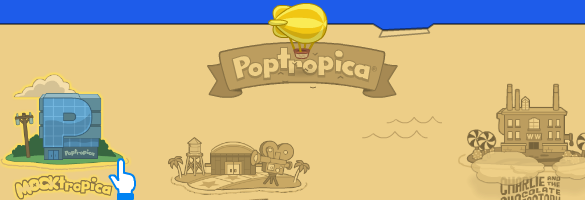
First of all, this seems to be happening on the SUIs (the colored, updated islands), such as Mocktropica, so avoid those for now until Poptropica fixes the bug. Anyway, to get out, just go to your Store inventory items and travel to the Haunted House. (If you don’t have this gold card item, you can get it for free in the Store.) From there, click on the hole you emerged from to travel to another island, and this time the blimp should be working.
*performs CPR on blimp* stay with me! come on! i’ve still got islands to see, you know!
Again, I’d advise you to stay away from SUIs for now, until the glitch is fixed! In the future, if you run into any bugs, remember to try using a different web browser or computer, and contact Poptropica (via the Contact link on their homepage) about any issues so they can fix them. Happy blimp traveling!
blimp: STOP POKING MEH! D:<



 🏝 Poptropica Help Blog 🗺